
For patients
Book an appointment online
Choose a treatment, a practitioner and a time, then pay to confirm.
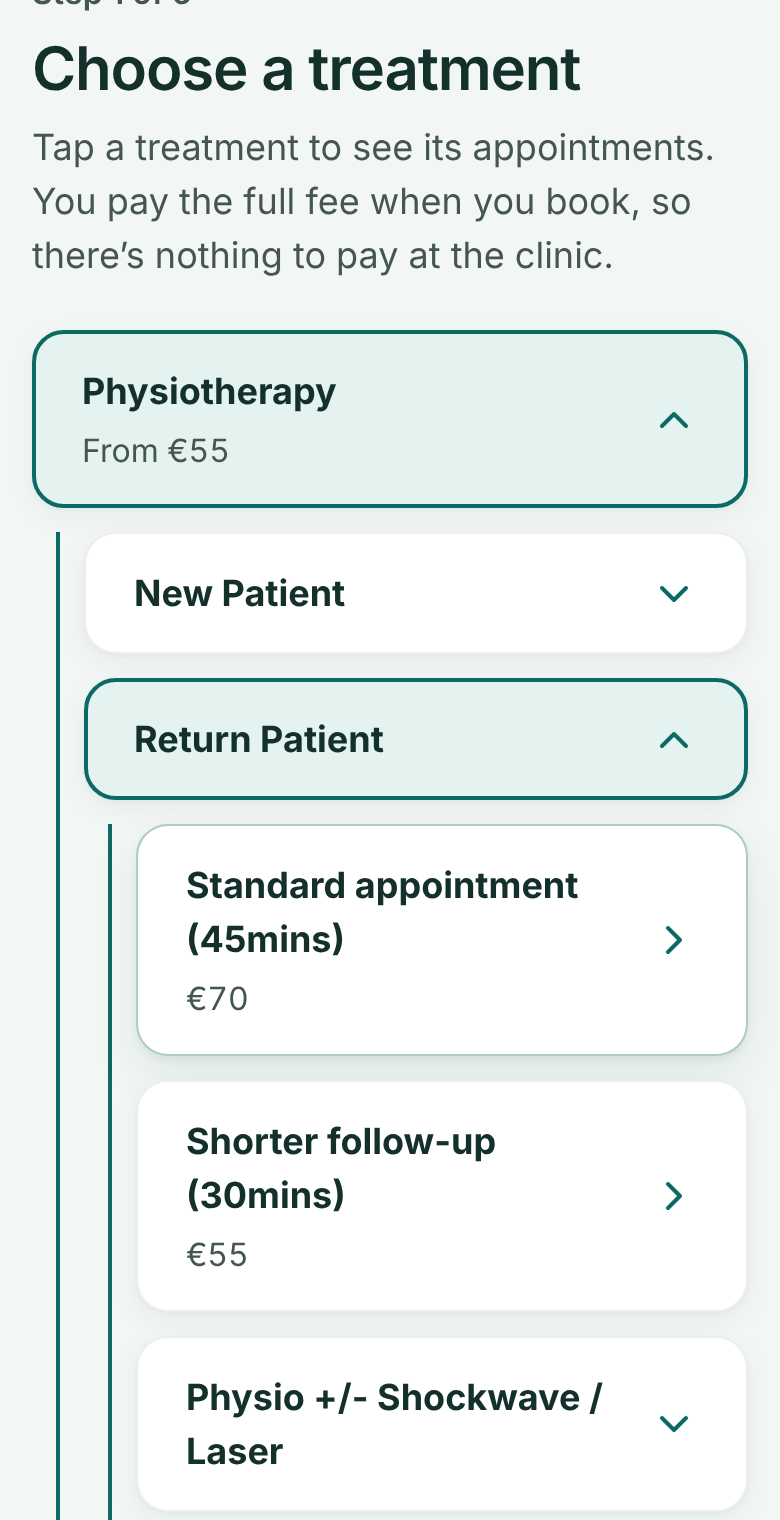
Go to Book an appointment and tap the kind of care you need. Its choices open underneath: say whether you've been before, then pick the appointment.
 (opens full size in a new tab)
- 1: Tap a treatment to open it
- 2: Say whether you've been before
- 3: Choose the appointment
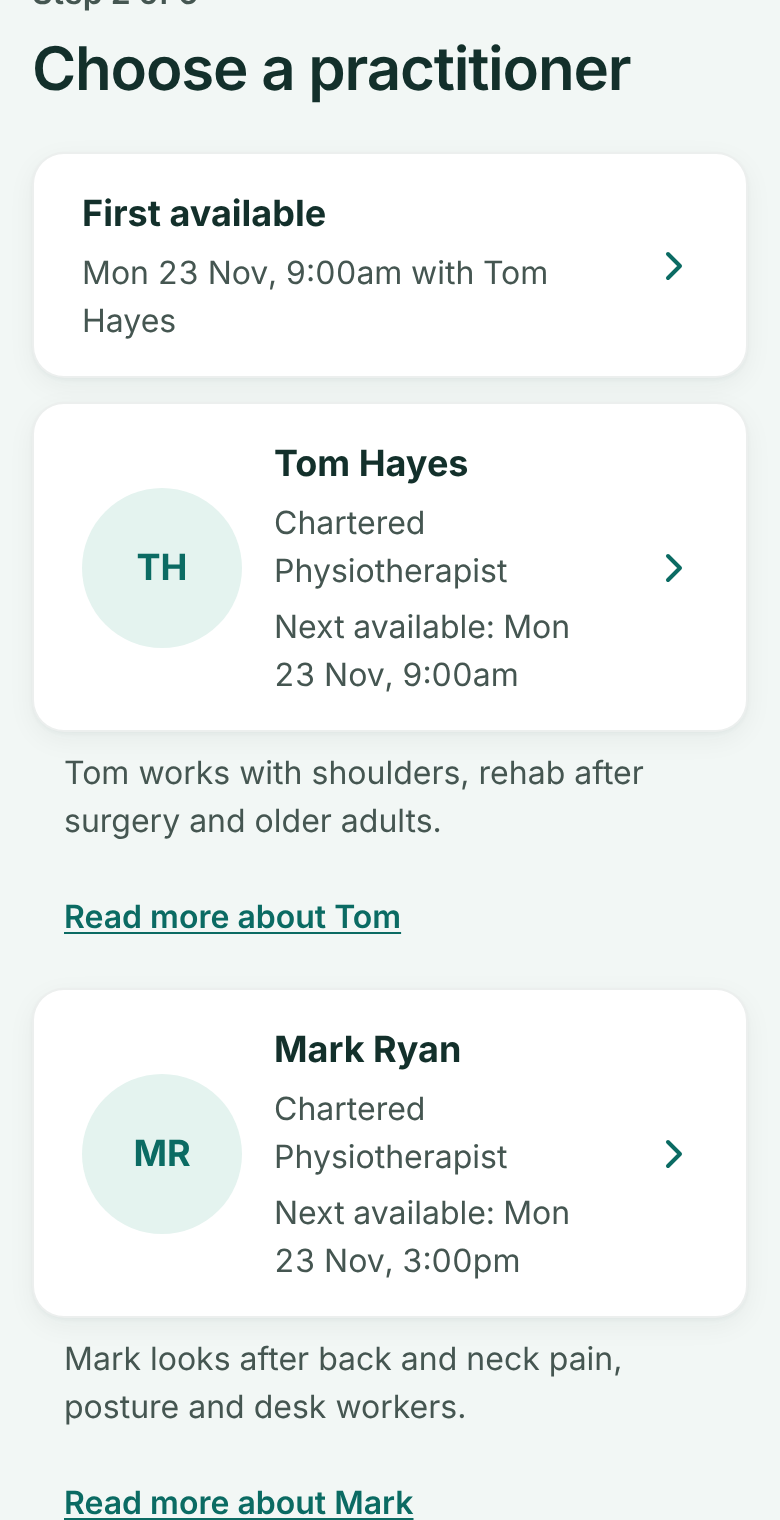
Pick a practitioner. Each one shows their next free time.
 (opens full size in a new tab)
- 1: Pick a practitioner: each shows their next free time
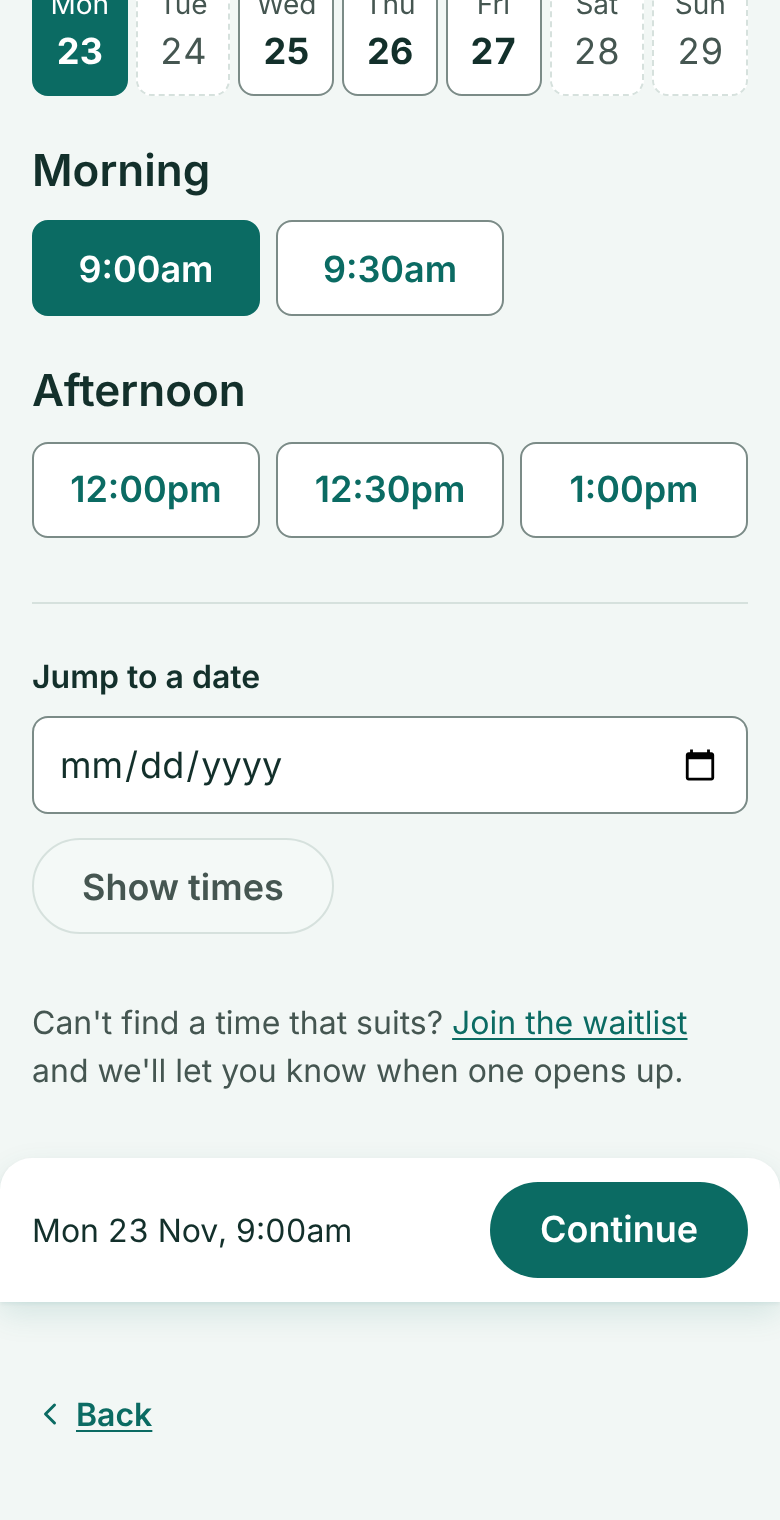
Choose a day and a time, then Continue. We hold the time for you while you pay.
 (opens full size in a new tab)
- 1: Choose a time
- 2: Continue
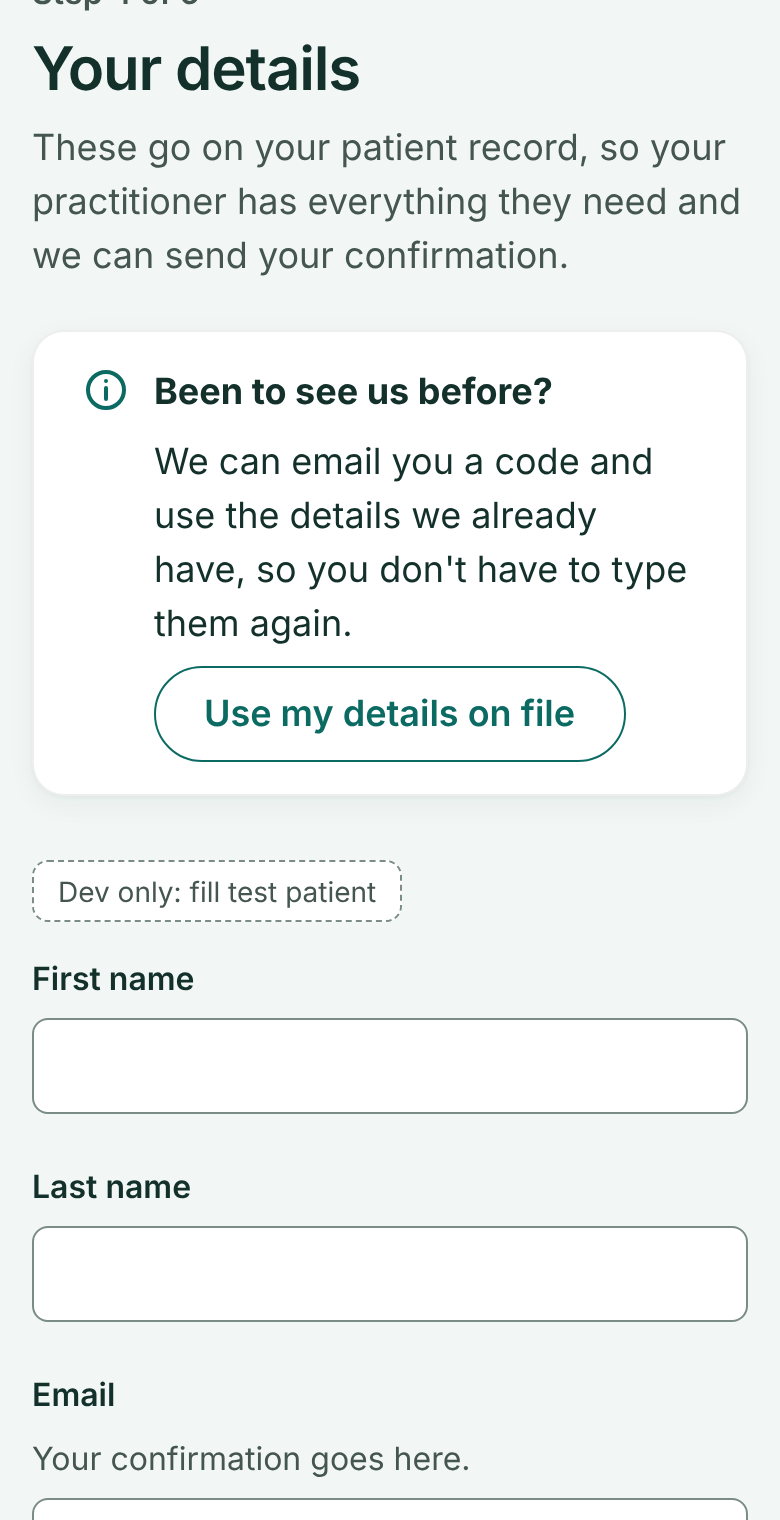
Add your details. Been to see us before? Choose Use my details on file and we'll email you a 6-digit code instead of asking you to type everything again.
 (opens full size in a new tab)
- 1: Been before? Skip the form with an emailed code
Enter the code. If we have your details, there's nothing to fill in; we only ask for anything that's missing.
If you've paid online before, your saved card is used too, so you skip the card page as well.
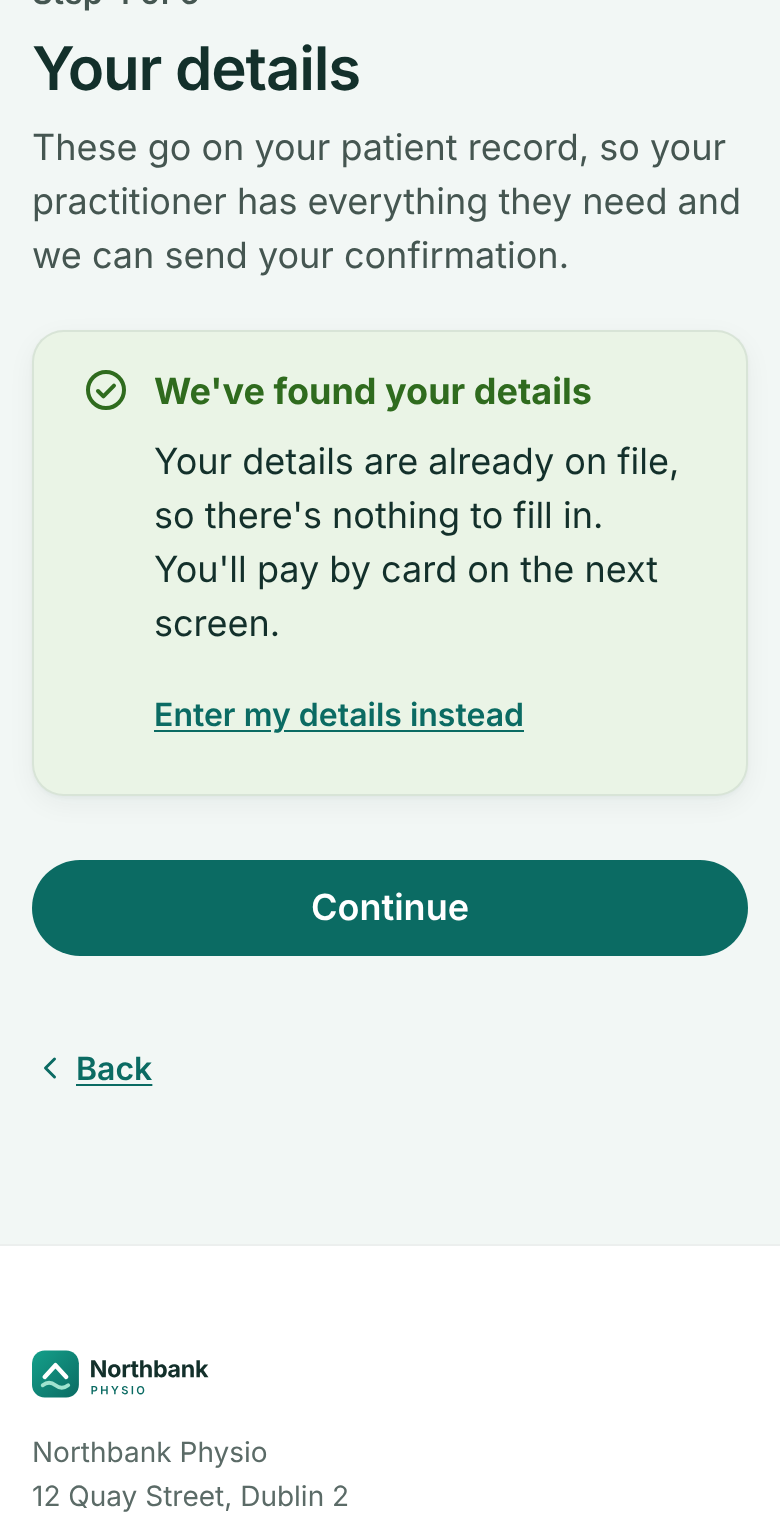 (opens full size in a new tab)
- 1: Your details are already on file
- 2: Continue to pay
Check the summary, agree to the cancellation policy, and Pay. Have a gift voucher? Type its code here first.
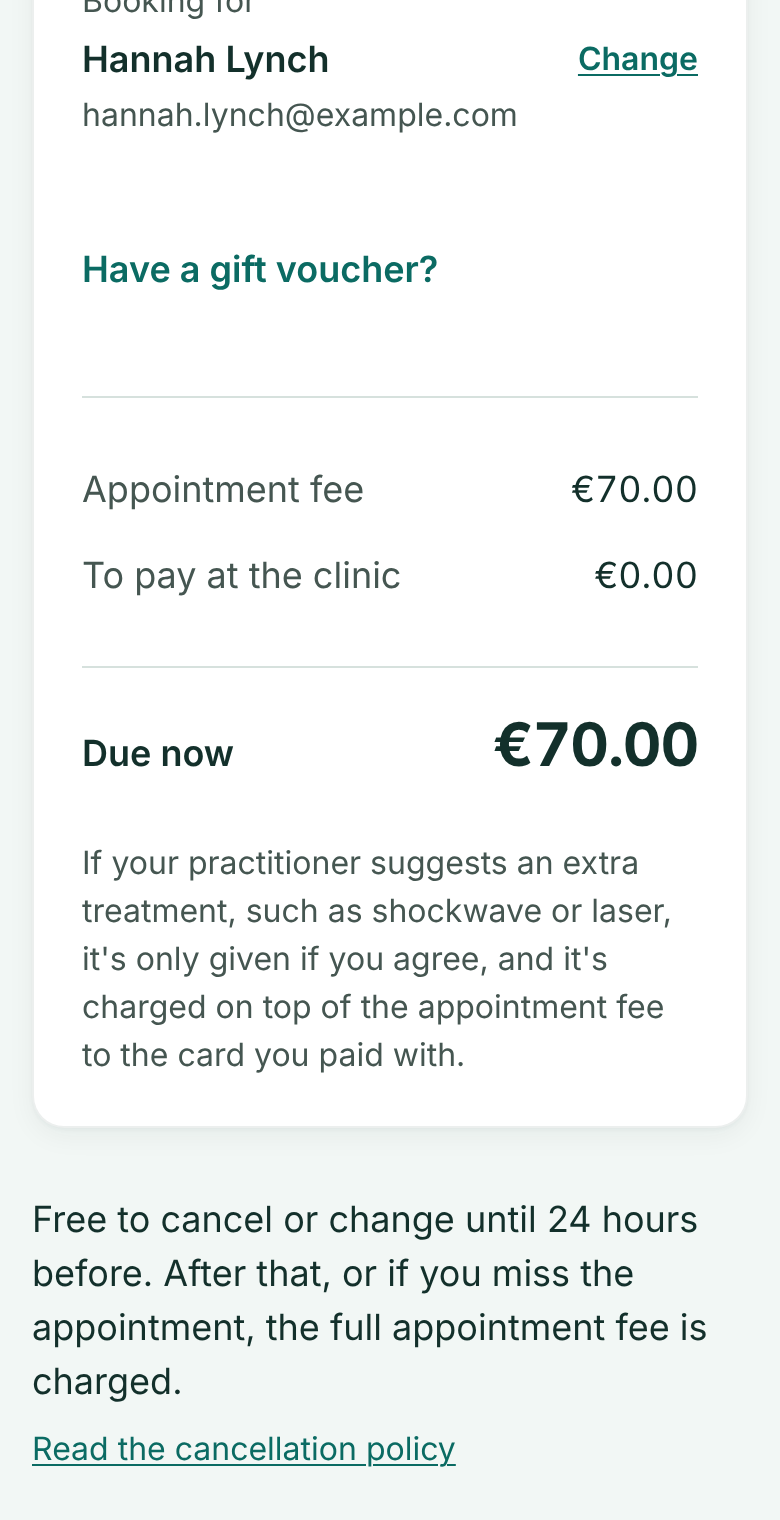 (opens full size in a new tab)
- 1: Gift voucher? Type its code here
You'll see the confirmation straight away, and get an email with the details.
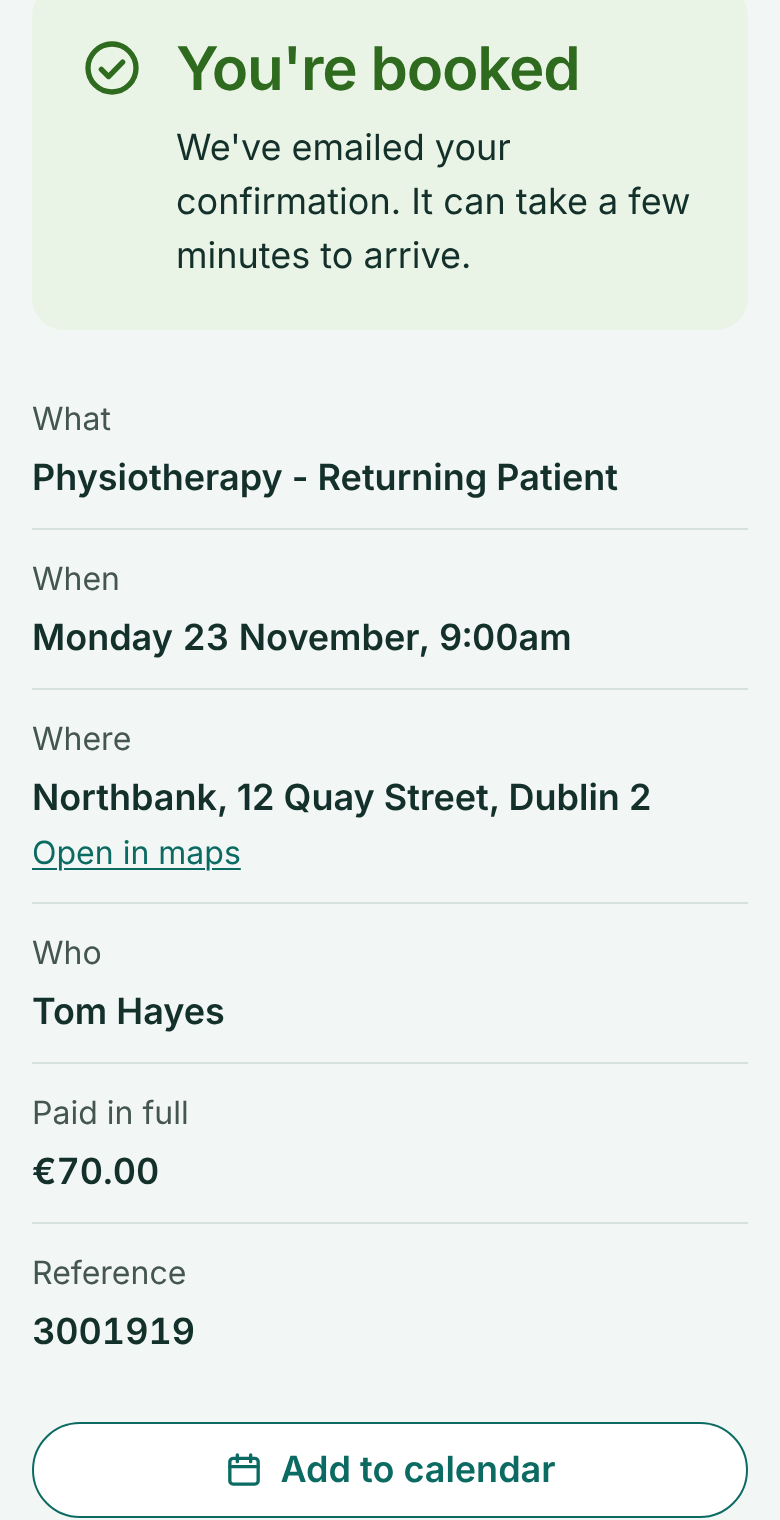 (opens full size in a new tab)
- 1: You're booked: an email follows
If the time goes while you pay
Very occasionally someone else books the same time at the same moment. Your payment is kept safe and we email you a link to pick another time with the same practitioner, with nothing more to pay. If you'd rather not, ask for a refund on the same page; if you do nothing, you're refunded in full automatically after 7 days.
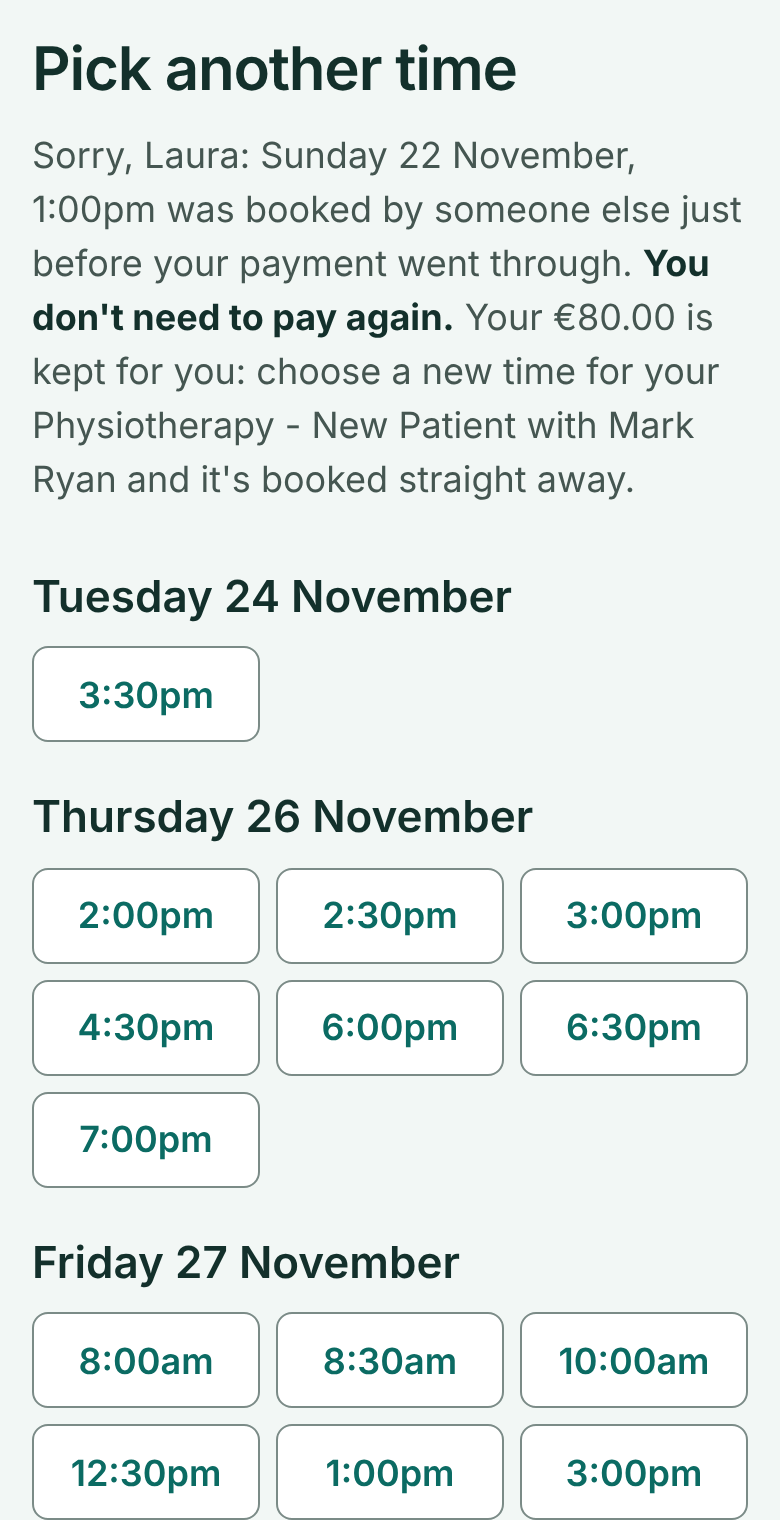 (opens full size in a new tab)
- 1: Pick another time: no need to pay again