
For patients
Buy and use a gift voucher
Buy a voucher for any amount, check what's left, and use it when you book.
Buy a voucher
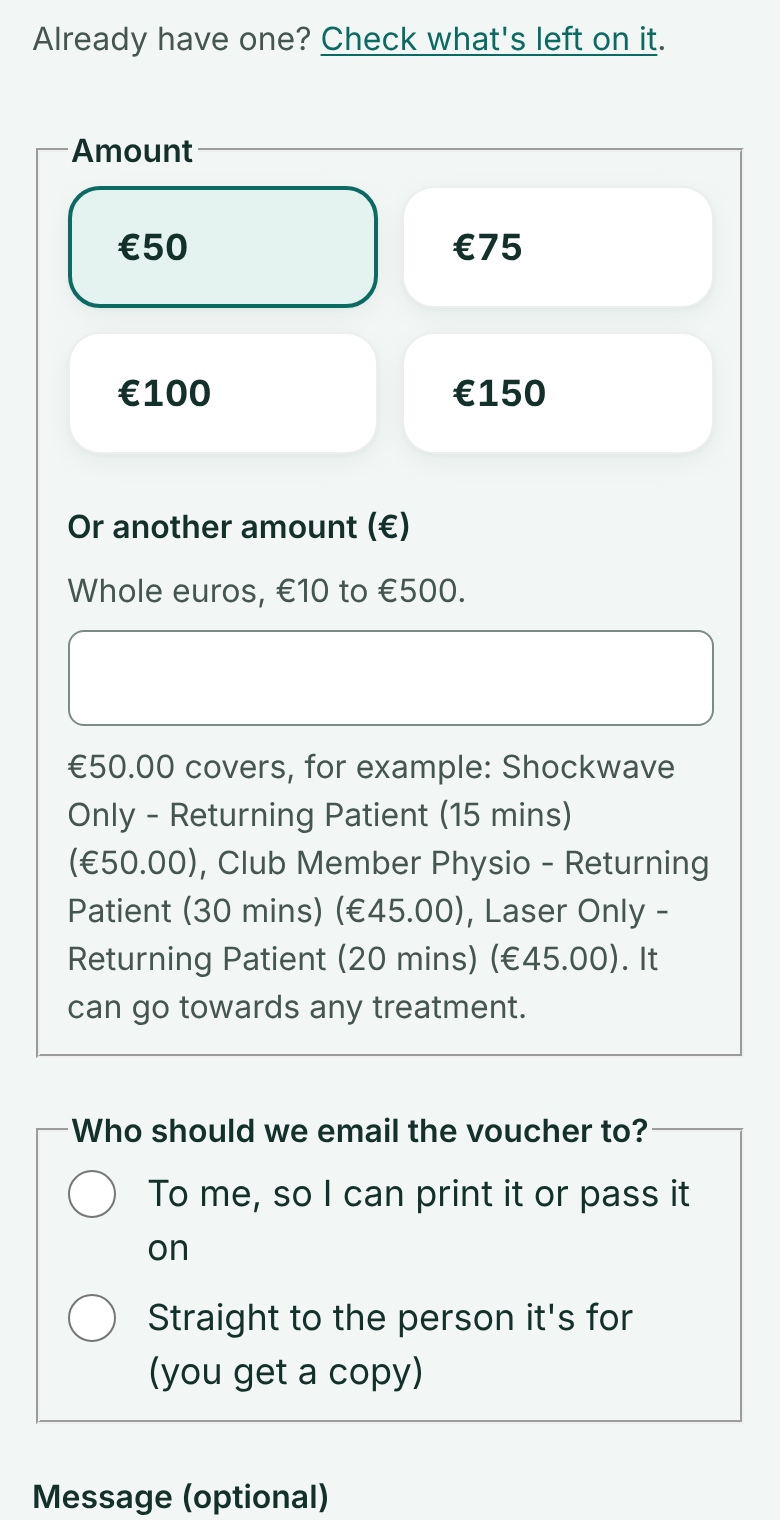
Go to Gift vouchers and choose an amount. Say whether we email it to you, or straight to the person it's for.
 (opens full size in a new tab)
- 1: Choose an amount
- 2: Email it to you, or straight to them
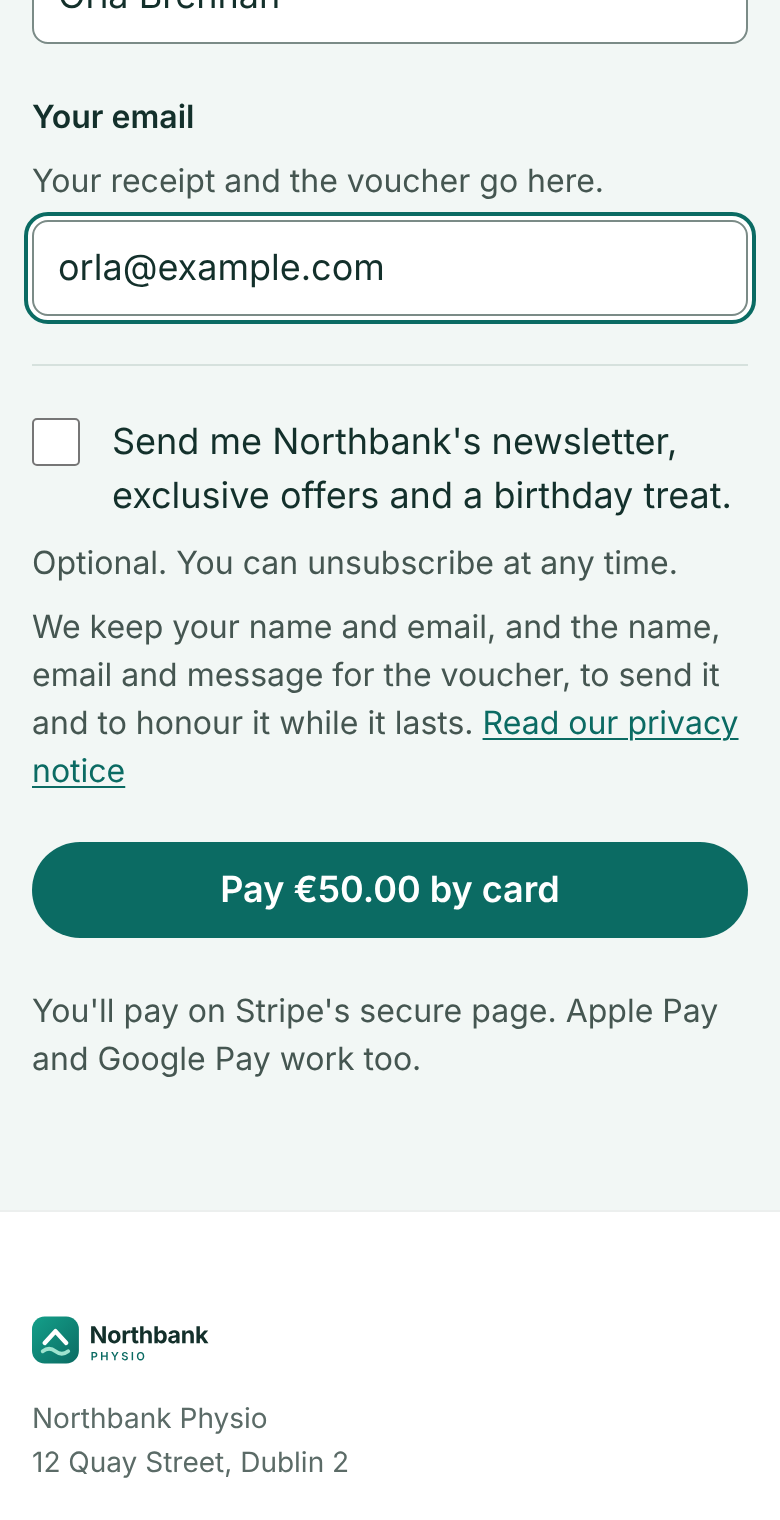
Add your name and email, then pay by card. The voucher's code arrives by email within a minute.
 (opens full size in a new tab)
- 1: Where the voucher is emailed
- 2: Pay by card
Check what's left
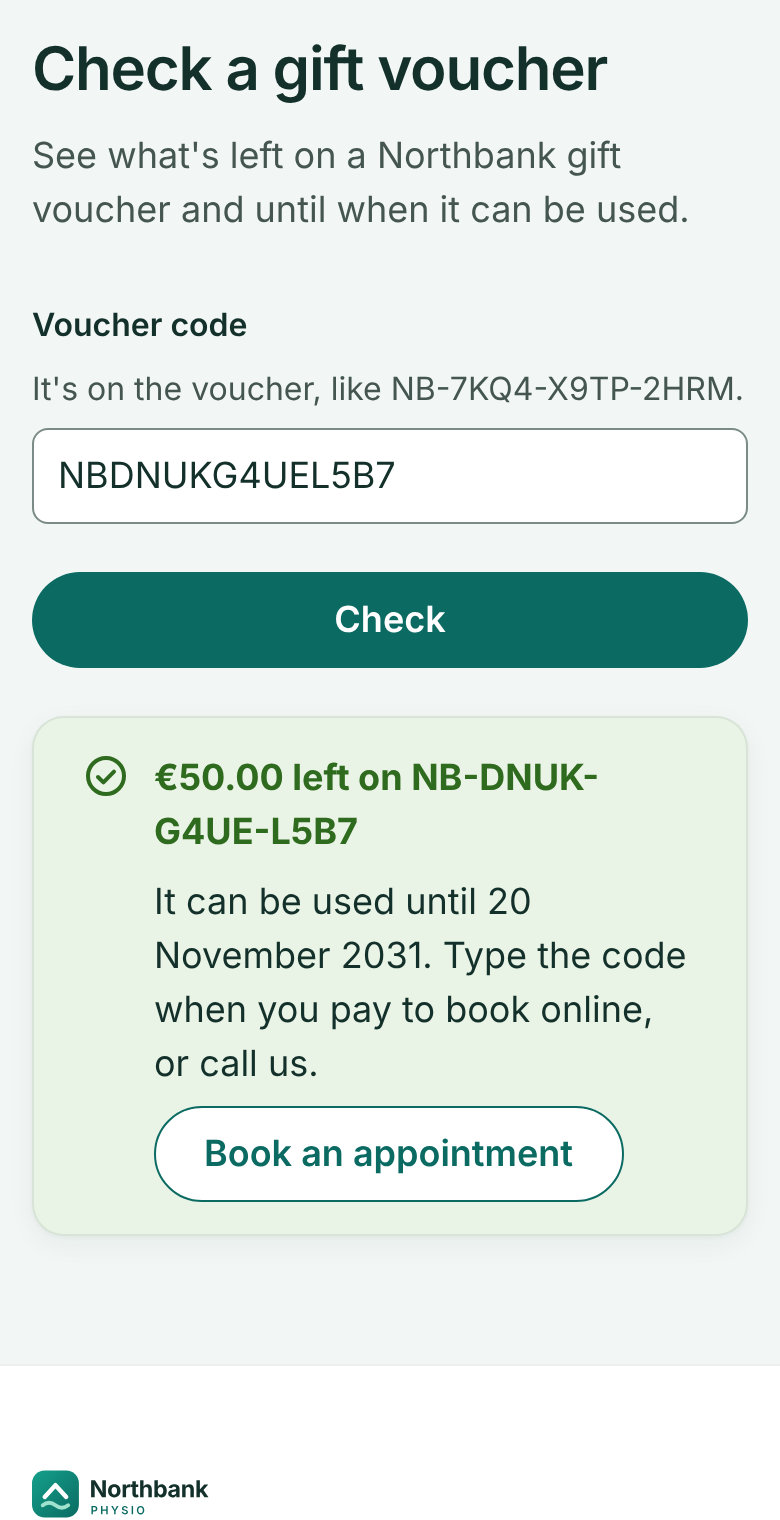
Go to Check a gift voucher and type the code.
 (opens full size in a new tab)
- 1: The code from the voucher
- 2: What's left, and until when
Use it when you book
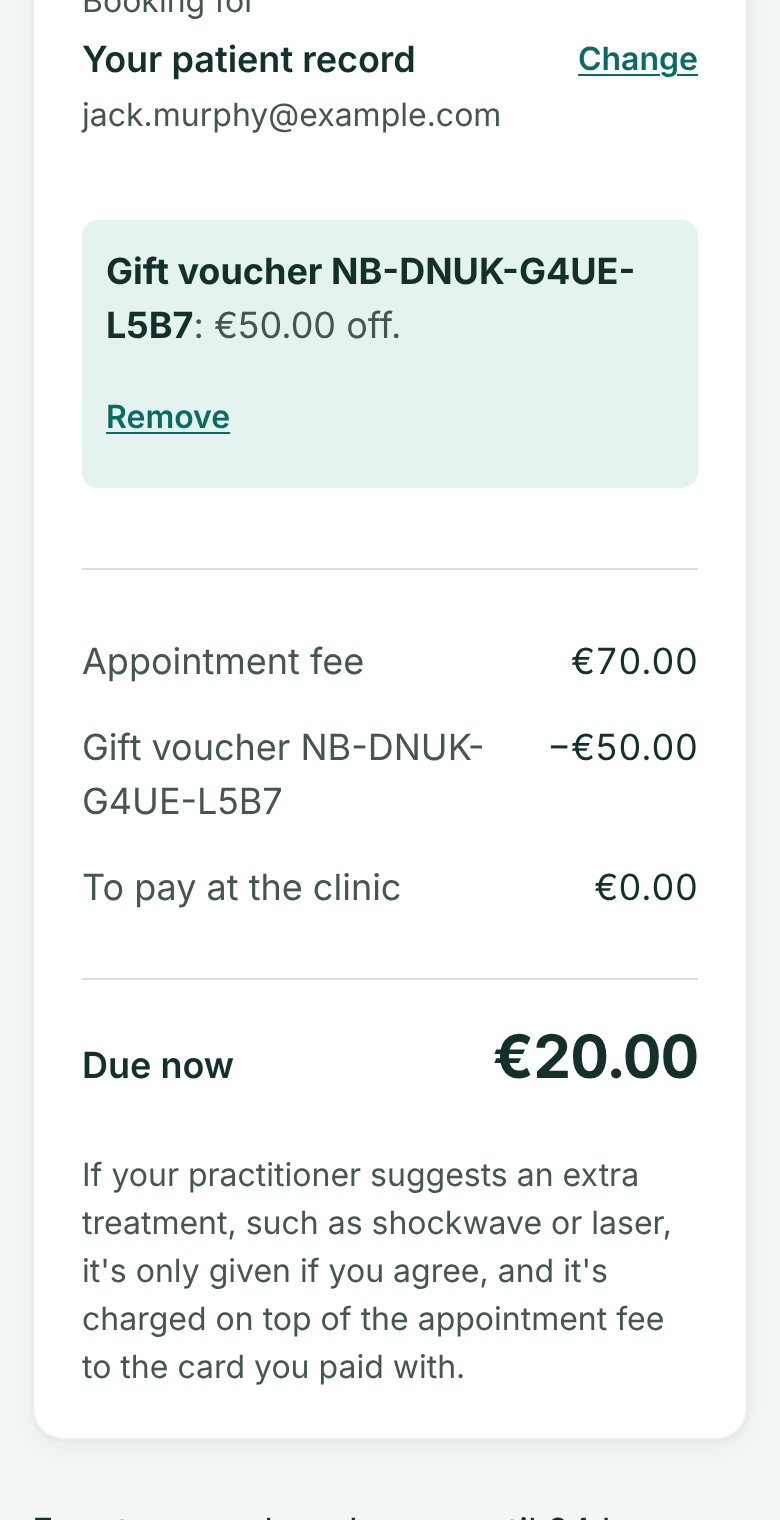
On the Pay step, open Have a gift voucher?, type the code and press Apply. The voucher comes off the fee and your card pays only the rest.
Whatever isn't used stays on the voucher. If you cancel in good time, the voucher's part goes back on the voucher.
 (opens full size in a new tab)
- 1: The voucher's part comes off the fee
Vouchers last 5 years
A voucher can be used in one visit or several, towards any treatment, for 5 years from the day it was bought.